
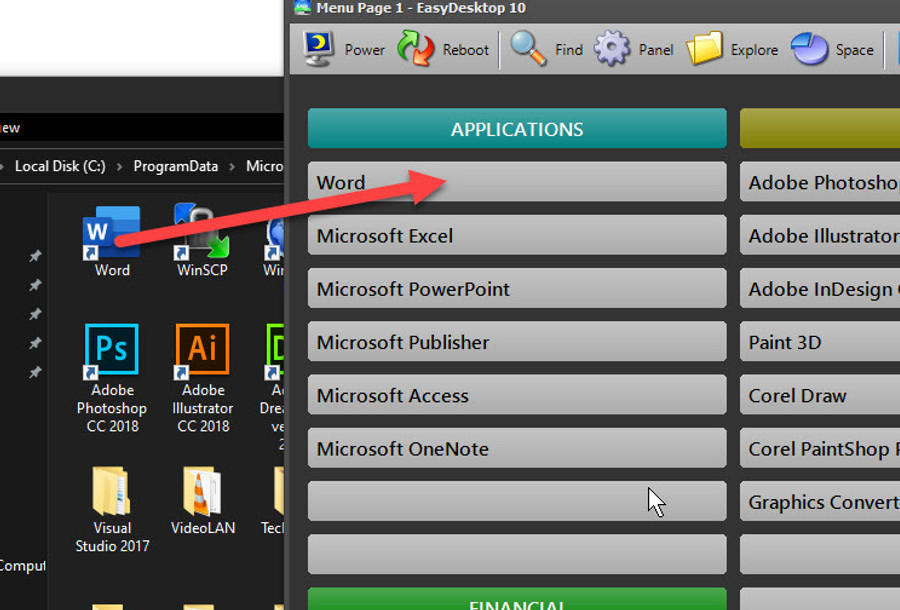
Drag-and-drop simplicity
Drag an icon, file, shortcut, or link directly onto an EasyDesktop menu button and let EasyDesktop handle the setup. Fine-tune appearance and launch behavior whenever you want.
A powerful Windows 11 desktop organizer that puts your programs, files, links, settings, system tools, and more within easy reach.
Launch more than 1,200 items from a customizable 18-page menu, organize your desktop with drag-and-drop simplicity, and take control of Windows without digging through endless menus.
Secure checkout powered by Stripe. Promotion codes can be applied at checkout.
EasyDesktop 10 requires Windows 11.
Watch a quick introduction to EasyDesktop and see how it can simplify your Windows 11 desktop, organize frequently used items, and put useful Windows tools within easy reach.
Drag an icon, file, shortcut, or link directly onto an EasyDesktop menu button and let EasyDesktop handle the setup. Fine-tune appearance and launch behavior whenever you want.
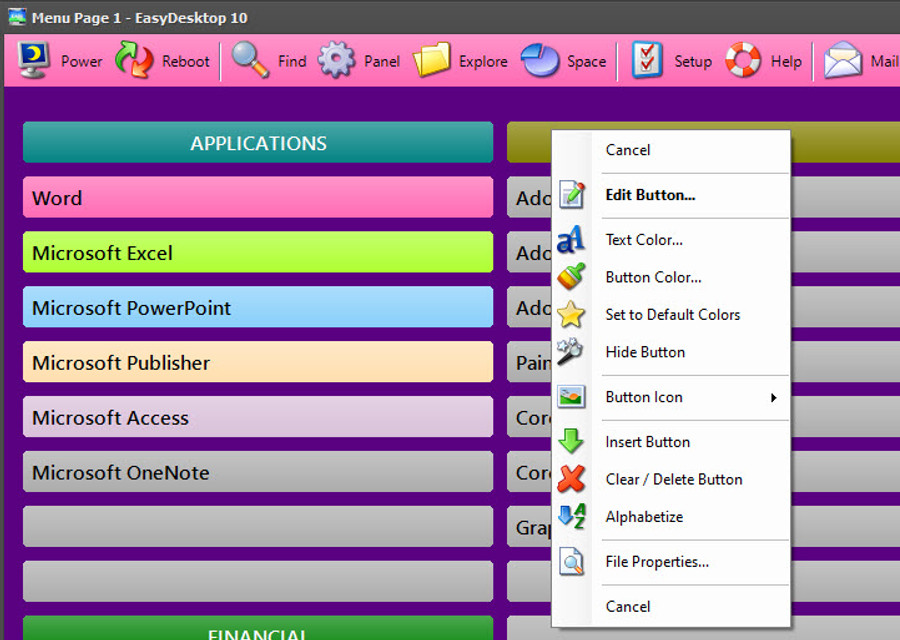
EasyDesktop 10 gives you 18 customizable menu pages. Change toolbar colors, buttons, backgrounds, fonts, and layouts so the desktop works the way you do.
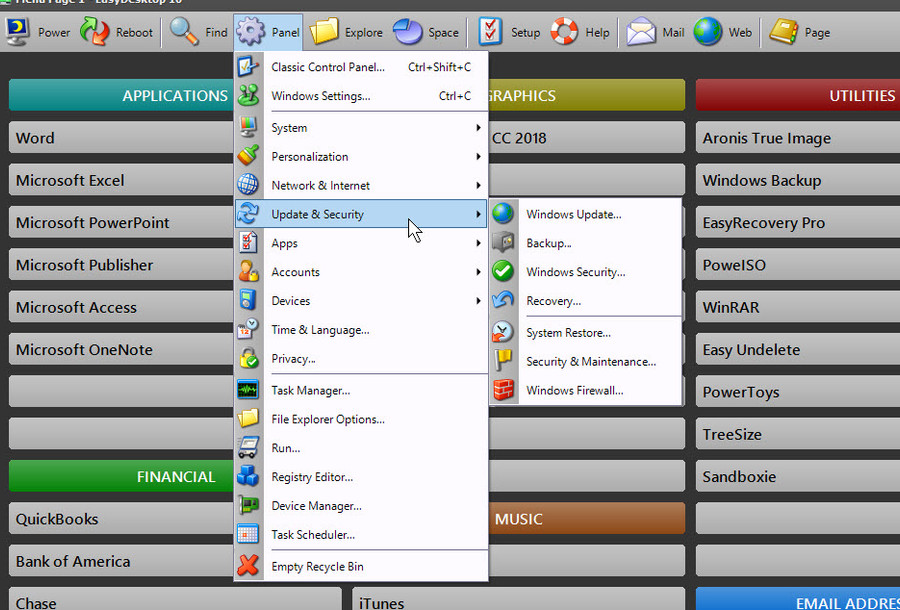
Open Windows 11 settings, classic control panels, search tools, Recycle Bin functions, and other frequently used Windows features without digging through menus.
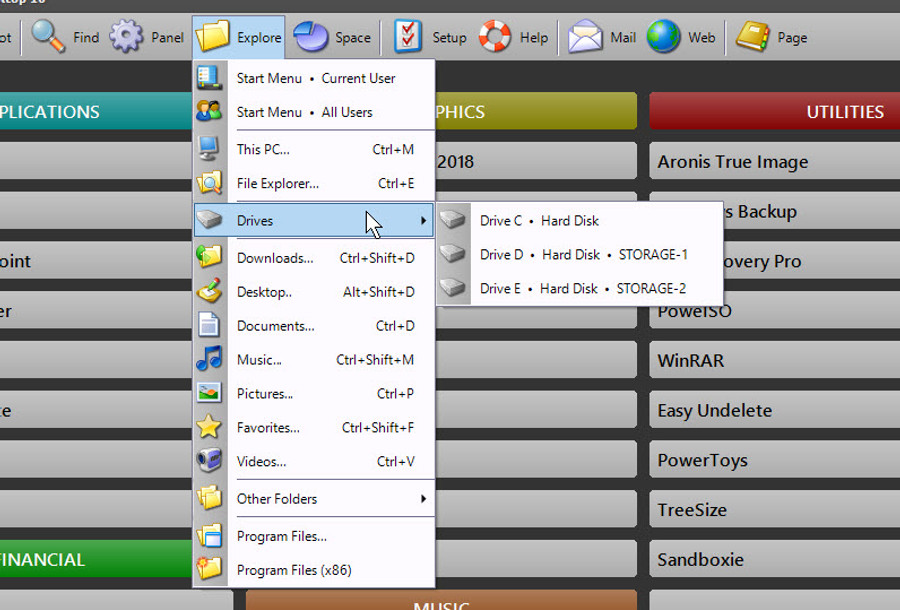
Instantly browse disk drives and common locations such as Documents, Downloads, and Pictures.
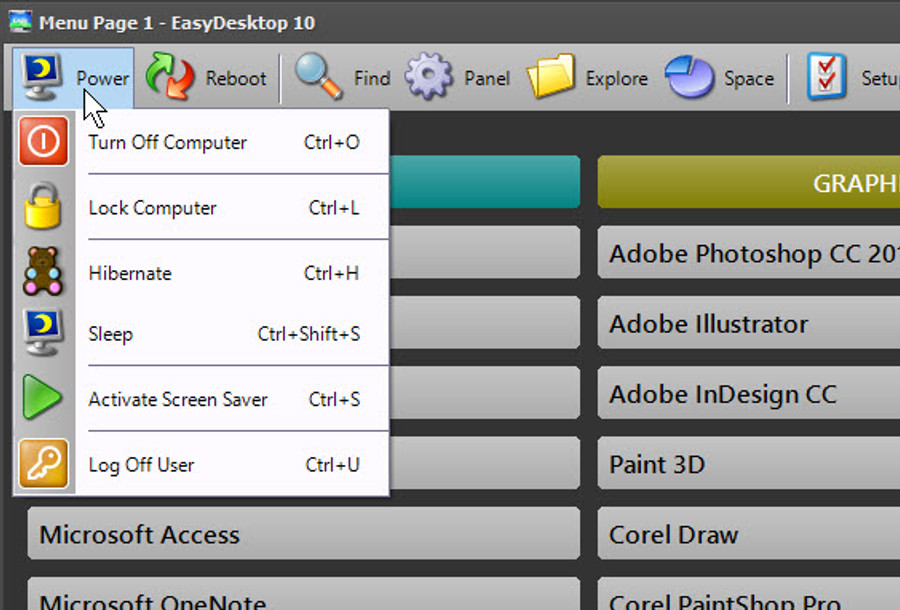
Shut down, restart, or lock Windows quickly, including a configurable shutdown delay in case you change your mind.
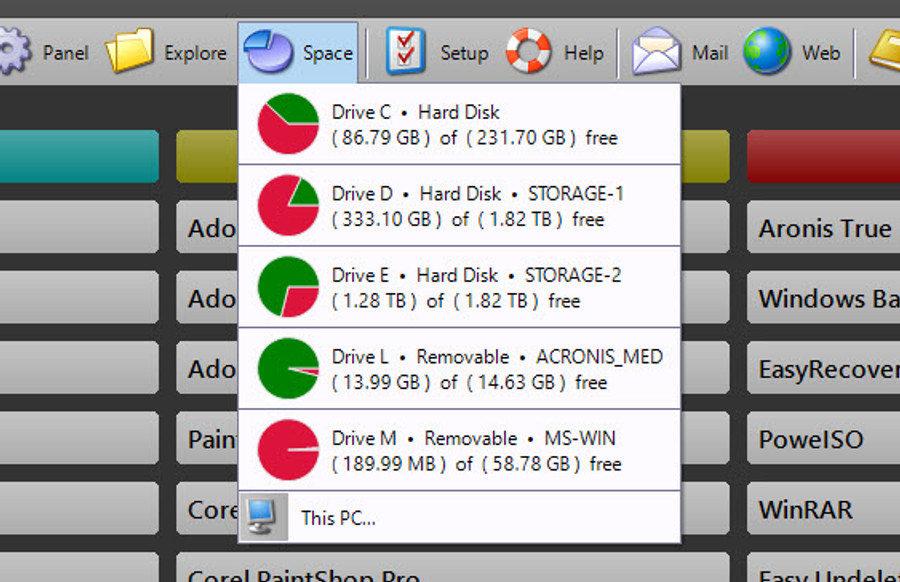
View free space and drive information immediately, including an easy visual reference for storage usage.
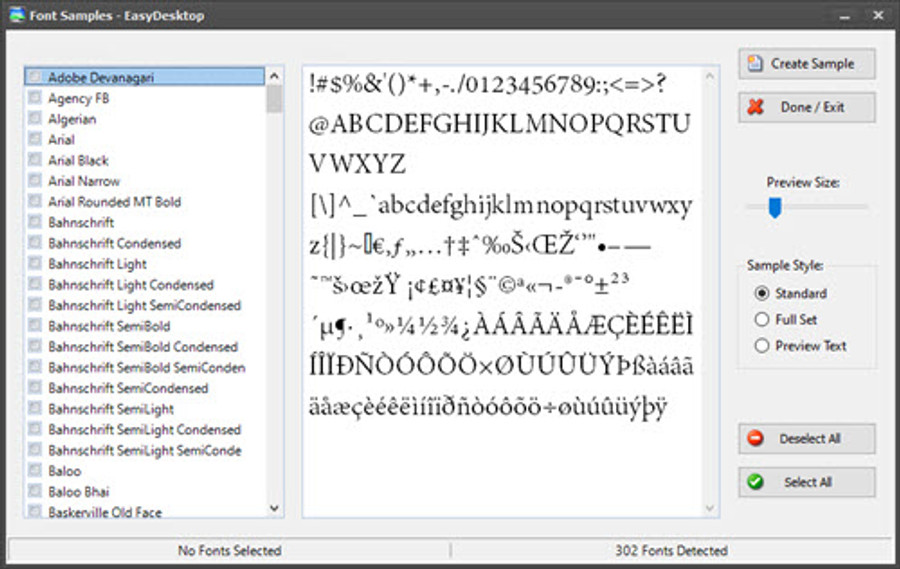
Preview installed fonts, print sample sheets, secure higher-level editing features with Administrator Lock, and use other built-in utilities.
EasyDesktop has always focused on practical Windows organization: less clutter, fewer clicks, faster access, and powerful tools for people who want to get things done.
Download the 15-day trial and see how much easier Windows can be when everything you use is organized and only a click away.